
Key Takeaways
- The 7 alternatives on this list are Colossyan (training and enablement), Elai.io (budget training with quizzes), HeyGen (marketing video), Hour One (broadcast-quality avatars), DeepBrain AI (kiosk and conversational AI), Veed (general video editing), and Synthesys.io (basic avatar video).
- For training teams, the field narrows fast: only Colossyan and Elai.io include SCORM exports and quiz features on non-enterprise plans. HeyGen added SCORM on its Business tier ($149/mo) in late 2025.
- Entry pricing ranges from free to $149 per month, but per-minute costs at 60 minutes of output tell a different story. See the pricing table below.
- Content moderation variance is an underrated switching trigger. Several teams report having legitimate training videos blocked by Synthesia's automated review.
- Only Colossyan offers built-in course authoring (Learn) where you structure videos into learning paths with branching, quizzes, and completion tracking. No other tool on this list does this.
If you’ve hit Synthesia’s per-seat pricing wall, had a training video blocked by content moderation for no clear reason, or discovered that SCORM export requires an enterprise contract you can’t test on a trial, you already know the problem.
This guide compares 7 alternatives on the criteria that matter for training content: SCORM support, interactive features, and total cost past 25 seats. By the end, you’ll know which tool fits your use case, what you’ll actually pay at your volume, and whether switching is worth the migration effort. Try Colossyan free if you want to test the top-ranked alternative directly.
We re-tested all pricing tiers in April 2026 after Synthesia’s Creator plan restructure. We created a 500-word compliance training script covering data security procedures and ran it through all 7 platforms, checking avatar rendering on technical terminology (words like “HIPAA,” “GDPR,” and “multi-factor authentication”), quiz builder usability, and SCORM export where available. The results shaped every recommendation below.
Quick picks based on use case:
- For training and enablement with SCORM and branching: Colossyan
- For marketing and social video: HeyGen
- For budget-friendly quizzes: Elai.io
- For broadcast-quality avatars: Hour One
- For general video editing plus avatars: Veed
- For conversational AI and kiosks: DeepBrain AI
- For basic avatar video on a budget: Synthesys.io
- For 160+ languages without LMS needs: Synthesia (staying put may be the right call)
At a glance
| Tool | Best for | From | SCORM | G2 rating |
|---|---|---|---|---|
| Colossyan | Training and enablement | Free | Professional plans | 4.6 (480+ reviews) |
| Elai.io | Budget training with quizzes | $29/mo | Paid plans | 4.6 (120+ reviews) |
| HeyGen | Marketing and social video | $24/mo | Business+ ($149/mo) | 4.7 (500+ reviews) |
| Hour One | Broadcast-quality avatars | Contact sales | No | 4.5 (100+ reviews) |
| DeepBrain AI | Kiosk and conversational AI | $29/mo | No | 4.3 (50+ reviews) |
| Veed | General video editing | Check website | No | 4.6 (500+ reviews) |
| Synthesys.io | Basic avatar video | Check website | No | Limited reviews |
| Synthesia (reference) | Multilingual video at scale | $29/mo | Enterprise only | 4.7 (2,000+ reviews) |
How to read this list: If you need LMS delivery, start with Colossyan and Elai.io. If you need marketing video, start with HeyGen. If you need the broadest language coverage, Synthesia is still the one to beat. The detailed breakdowns below cover what happened when we tested each tool.
Why teams switch from Synthesia
You probably started looking for alternatives for one of four reasons. If you already know yours, jump to the tool breakdowns.
SCORM and LMS exports locked to higher tiers
Synthesia restricts SCORM packaging to its Enterprise tier, which means a sales conversation and custom pricing. If your training content needs to reach learners through Cornerstone, Docebo, or SAP SuccessFactors, you can’t test that delivery workflow on a self-serve plan.
For teams evaluating multiple platforms in parallel, the inability to test end-to-end delivery during a trial is often a disqualifier. You’re choosing a tool based on video quality alone and hoping the export works once you upgrade.
Interactivity that doesn’t go deep enough
Synthesia added quizzes and CTAs on its Creator plan at $89 per month. That’s real progress. But there’s no branching where quiz answers change the next video, and no way to build a full course instead of standalone clips.
Teams that need interactive training hit this ceiling fast. Synthesia treats video as the final product. Training teams need video as one piece inside a structured learning experience.
Content moderation blocking legitimate content
Teams report having healthcare training videos, compliance modules, and standard product demos rejected by Synthesia’s automated content review. The appeal process is slow. Support teams often can’t override moderation decisions.
For teams producing regulated content in pharma, finance, or healthcare, unpredictable blocking creates real production delays. A training video that takes 45 minutes to produce but three days to get approved through moderation defeats the speed advantage of AI video.
No built-in course authoring
Synthesia generates videos. It doesn’t help you structure those videos into courses, assign them to groups, track completion, or measure results. Every video needs manual upload into a separate LMS, and every update requires re-exporting and re-uploading.
Teams producing 20+ training videos per quarter hit a wall fast. The training video software gaining the most traction combines video creation and course delivery in one place, so you don’t manage the handoff between two systems.
7 best Synthesia alternatives for 2026
Every AI video generator on this list produces avatar-led video from a text script. You’ll see the real differences after you hit “generate.” Can you export to your LMS? Add quiz questions mid-video? Update the script without re-rendering the whole thing?
1. Colossyan
Most teams land on Colossyan for one of three reasons: their current tool doesn’t do course authoring, they need branching paths based on quiz answers, or the math stops working past 30 minutes of content a month.
Colossyan is an AI platform for training and enablement. You create videos and build courses in the same editor, with branching scenarios, mid-video quizzes, and learning paths you can structure into full courses. SCORM export ships on the Professional plan and above. It supports 100+ languages where translation and lip-sync happen in one step.
When we ran our compliance script through Colossyan, the avatar maintained natural pacing through technical terms like “multi-factor authentication” without rushing or mispronouncing. The branching builder let us create a pass/fail path in under ten minutes. Learners who scored below 70% looped back to the relevant section automatically.
Where Colossyan pulls ahead is content updates. When a product UI changes or a compliance regulation shifts, you edit the specific scenes that changed. You don’t re-render the full video. For teams maintaining 50+ training modules, that cuts quarterly update cycles from weeks to days. No other tool on this list offers scene-level editing.
Pros: Course authoring with branching and quizzes built in. Scene-level content updates without re-rendering. 100+ languages in one workflow. Customers include Paramount, Ericsson, and Cisco.
Cons: SCORM export requires a paid plan (Professional or higher). Language support is 100+ versus Synthesia’s 160+. NEO2 (highest-realism) minutes are capped on lower tiers.
Key features: Branching scenarios, in-video quizzes, Learn course authoring, SCORM export (Professional and up), 100+ languages with lip-sync, scene-level editing.
Self-serve: The free Starter plan includes 300+ avatars, quizzes, and branching, and the Professional plan ($59/mo) adds SCORM export. No enterprise contract needed. See pricing.
Bottom line: The strongest option for teams that need video creation and course delivery in one platform.
How Paramount creates training videos 10x faster
Paramount replaced manual video production with Colossyan's AI avatars, cutting production time from weeks to hours across their global L&D team.
Read the full story →2. Elai.io
If your team needs quizzes and SCORM but your budget doesn’t stretch to enterprise pricing, Elai.io is worth testing. The platform offers AI avatars, a slide-based editor, and basic assessment features. SCORM exports are available on paid plans, which is rare at this price point.
80+ stock presenters with custom avatar support. 80+ languages. One gap: Elai’s quizzes handle straightforward right-or-wrong checks, but there’s no branching where the learner’s path changes based on answers.
When we ran our test script, the quiz builder was functional but basic. Adding a knowledge check after each section took about three minutes per question. The interface is intuitive enough for someone who’s never built an assessment before, but power users will notice the lack of conditional logic quickly.
For simple compliance training, that’s enough. For multi-path learning, it isn’t.
Pros: SCORM on paid plans at $29/mo (rare at this price). Basic quiz builder included. 80+ languages. Custom avatars.
Cons: No branching or conditional logic. Quiz functionality limited to right-or-wrong. Pricing has been restructured multiple times, so verify current tiers.
Key features: SCORM export (paid plans), basic quizzes, 80+ avatars, 80+ languages, slide-based editor.
Self-serve: The Basic plan ($29/mo) includes SCORM export and quizzes. No sales conversation required.
Bottom line: The most affordable option that includes both SCORM and quiz features.

3. HeyGen
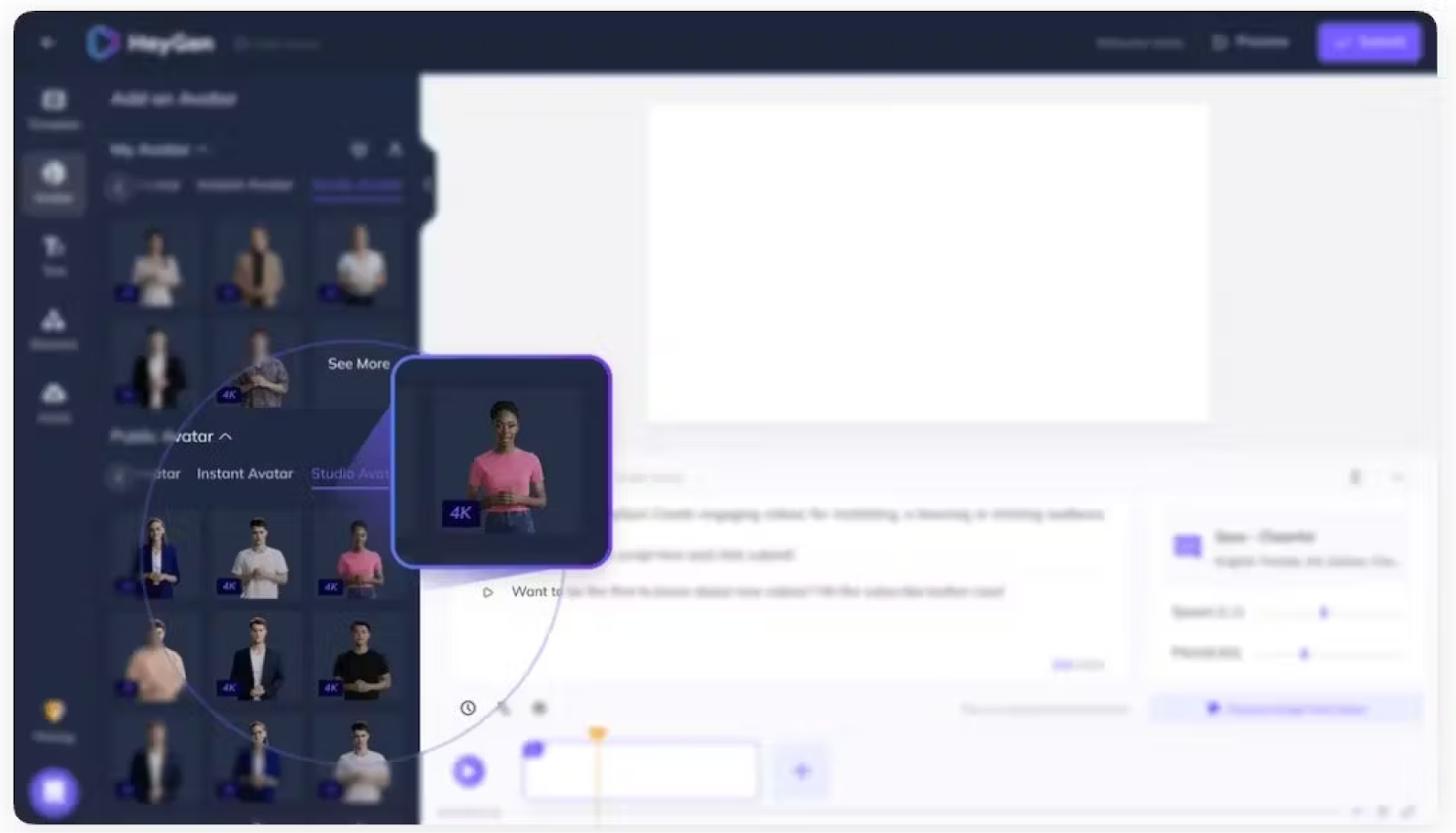
Does your team’s primary use case lean more toward marketing than training? HeyGen fills a different gap. For short-form social content, personalized outreach videos, and product demos, it’s genuinely good at what it does.
When we ran our compliance script, the avatar rendered quickly, under two minutes for 500 words. But it read “HIPAA” as a single word rather than spelling out the acronym. The avatar eye contact and gestures were more natural than most tools on this list, which is why it works so well for marketing content.
HeyGen added SCORM export in late 2025, available on Business ($149/mo) and Enterprise plans. It supports SCORM 1.2 and SCORM 2004 with completion tracking. This is a meaningful update, but the $149/mo entry point for SCORM is significantly higher than Colossyan ($59/mo) or Elai ($29/mo). HeyGen still doesn’t offer branching scenarios or course authoring.
Pros: Best avatar eye contact and gestures on this list. Fast rendering (under 2 min for 500 words). SCORM added on Business+ plans. 40+ languages with lip-sync. Free plan available.
Cons: SCORM only on Business ($149/mo) and Enterprise. No branching scenarios or course authoring. G2 users report slowdowns on longer videos. Read “HIPAA” as a word in our test.
Key features: 100+ avatars, lip-sync translation (40+ languages), SCORM 1.2 + 2004 (Business+), personalized video at scale, fast rendering.
Self-serve: Free plan lets you test avatar quality. Creator plan ($24/mo) is fully self-serve for marketing use cases.
Bottom line: The strongest option for marketing teams that need polished avatar video. Training teams should note SCORM starts at $149/mo.
4. Hour One
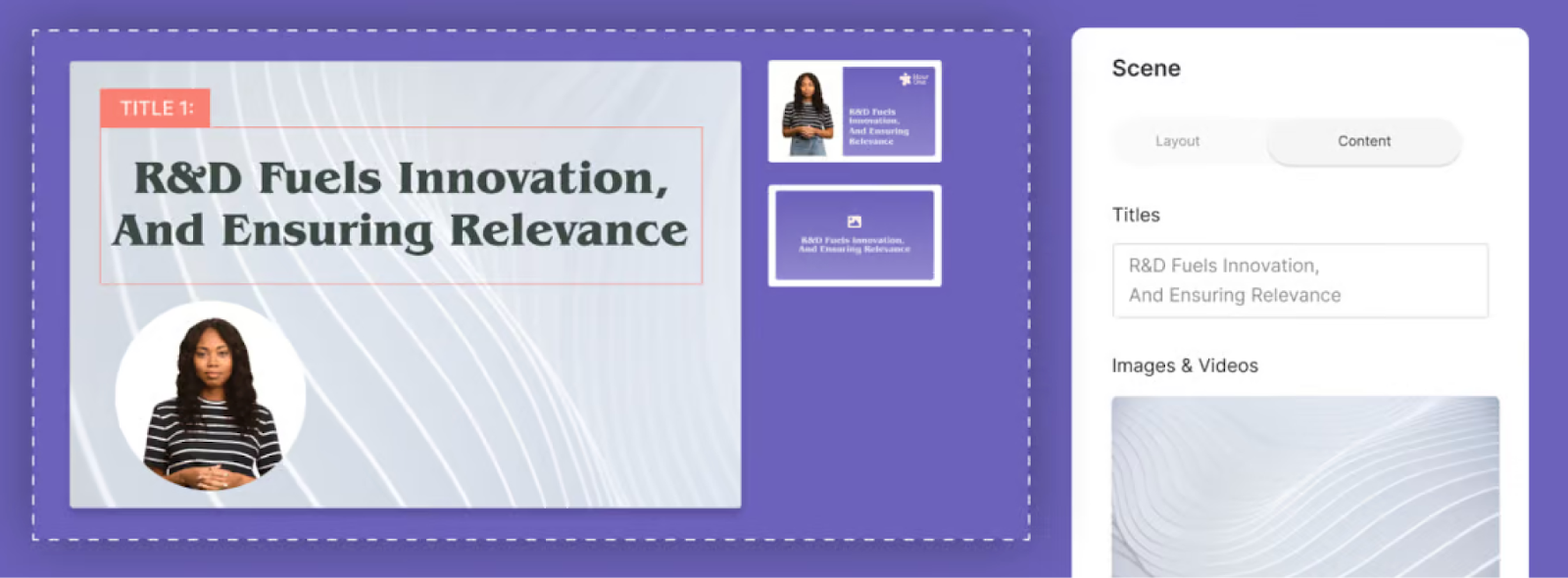
Hour One wins on visual polish. The scene editing gives you more control over backgrounds, layouts, and presenter positioning than most competitors. The avatar rendering is noticeably sharp for customer-facing work.
When we tested it, the output looked the most “broadcast-ready” of any tool on this list. The avatar handled our compliance script cleanly, and the scene-by-scene editing tools gave us granular control over pacing and layout that other platforms don’t offer.
Pros: Most broadcast-ready avatar output on this list. Granular scene-by-scene editing. Strong backgrounds and layout control. 50+ languages.
Cons: No SCORM, no branching, no quizzes, nothing training-specific. Pricing isn’t public (sales conversation required). No free or self-serve plan.
Key features: Scene editing with layout control, 50+ languages, custom avatars, broadcast-quality rendering.
Bottom line: Best for corporate communications teams where visual quality matters more than LMS delivery.
5. DeepBrain AI
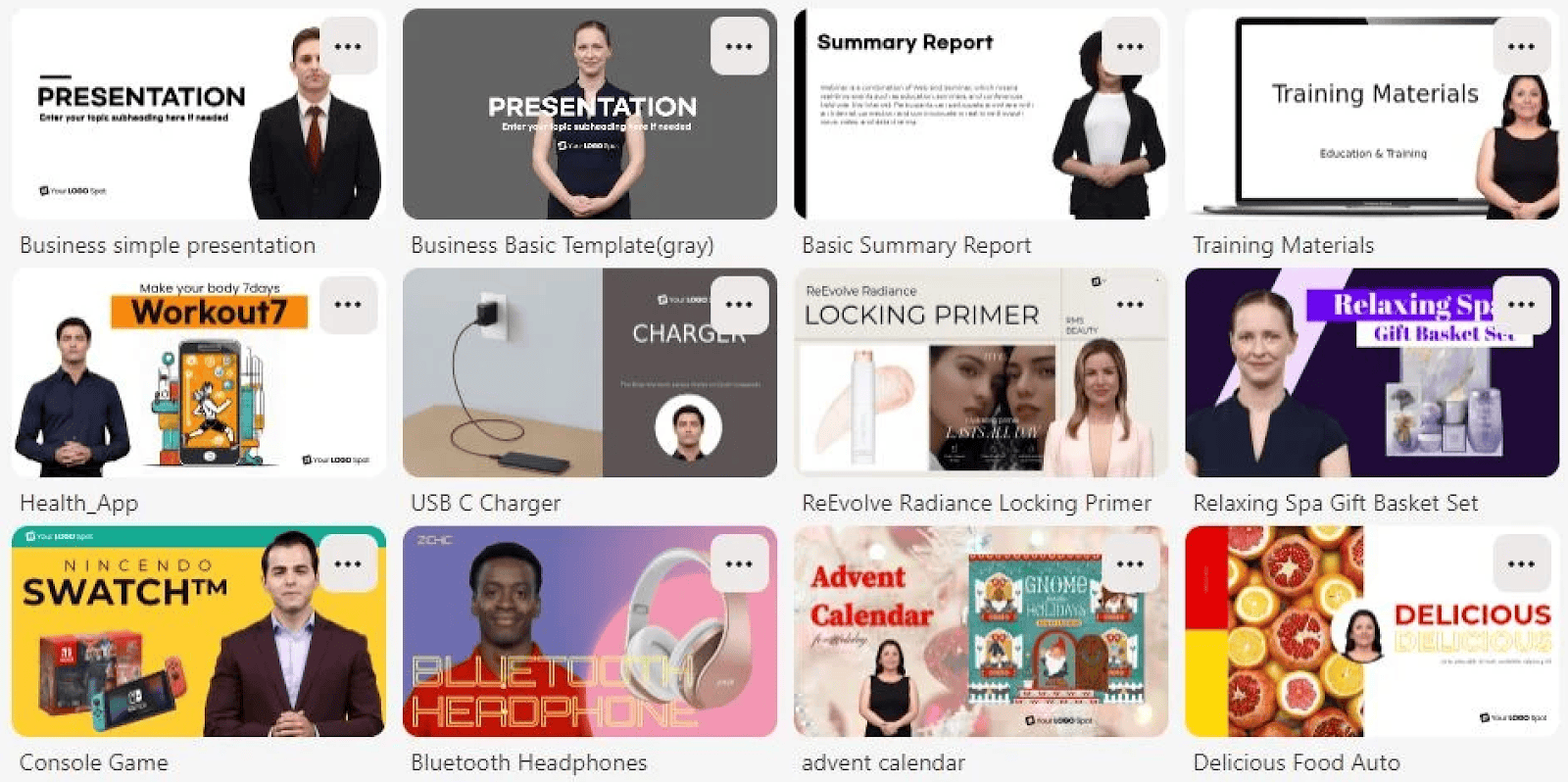
DeepBrain AI splits its platform between standard AI video (AI Studios) and a separate conversational AI product for interactive kiosks and virtual assistants. The kiosk product is genuinely interesting for retail or hospitality deployments, but it’s a different use case from training content.
The video side is comparable to Synthesia’s Starter tier: avatars, text-to-video, and basic templates for straightforward output. When we ran our compliance script through AI Studios, the editor was functional and the rendering was fast, but the avatar selection felt smaller than Colossyan or HeyGen. The avatar also struggled with the acronym “GDPR,” pronouncing it as a single word.
Pros: Separate conversational AI product for kiosks is unique on this list. 80+ languages. Fast rendering. Fully self-serve at $29/mo.
Cons: No SCORM, no branching, no assessment features. Smaller avatar selection than Colossyan or HeyGen. Struggled with “GDPR” acronym in our test.
Key features: AI Studios (video), conversational AI (kiosks), 80+ languages, custom avatars, text-to-video.
Self-serve: Starter plan ($29/mo) is fully self-serve. Good for basic avatar video if you don’t need training features.
Bottom line: Interesting if you need conversational AI for kiosks. Not competitive for training content.
6. Veed
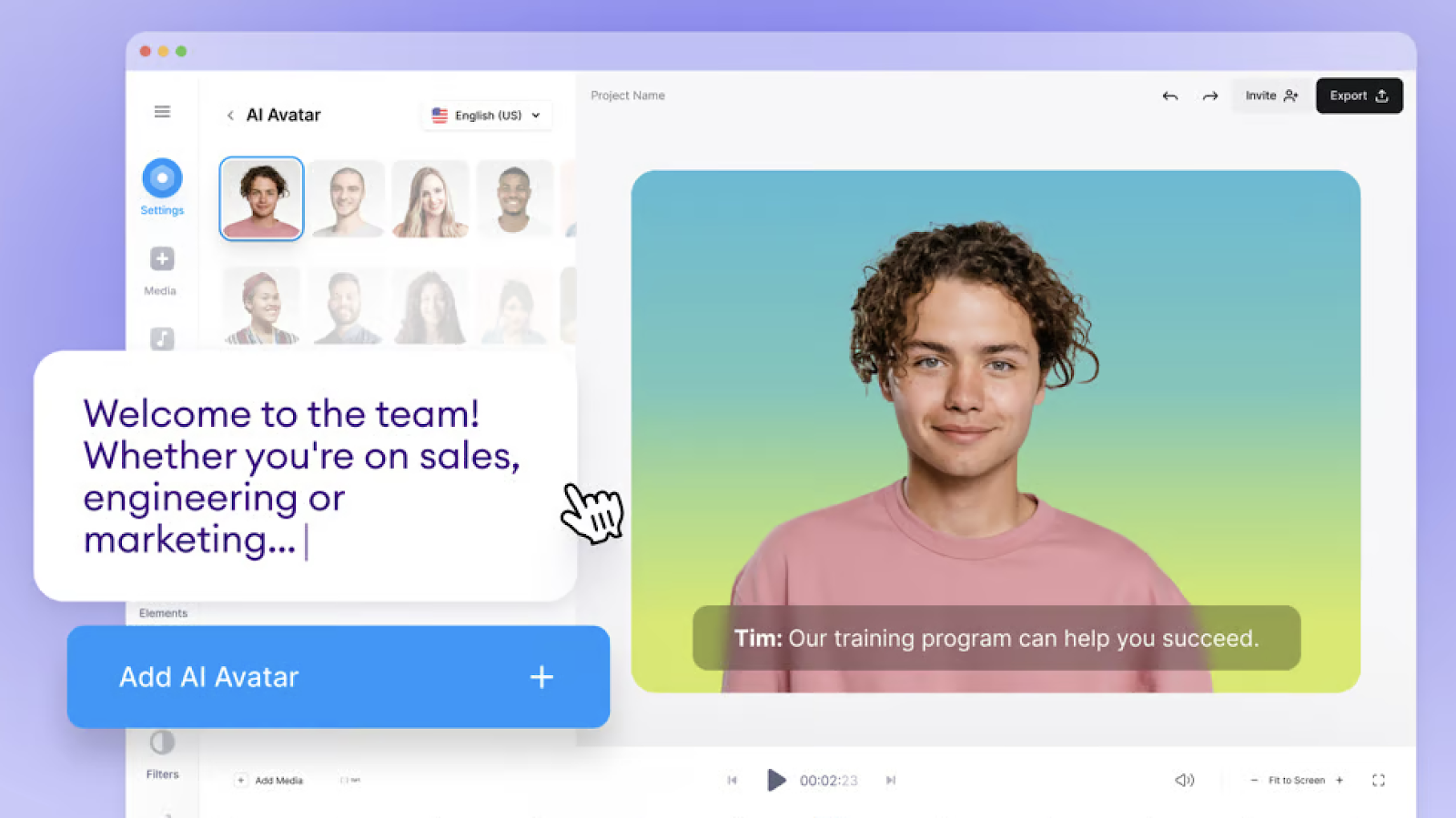
If your needs span avatar content and everyday video editing, Veed covers more surface area than any other tool on this list. Subtitles, screen recording, trimming, social media formatting, batch exports. The editing features are genuinely mature because Veed started as a video editor and added avatars later, not the other way around.
We used it to trim and caption a webinar recording in the same session as testing avatar output, which isn’t possible in any of the dedicated training tools. The avatar quality was acceptable but not as polished as HeyGen or Hour One.
Pros: Most mature video editing features on this list (subtitles, trimming, batch exports). We trimmed a webinar recording in the same session as avatar testing. Free plan available. Great for mixed-format teams.
Cons: No SCORM, no LMS integration, no branching, no quizzes. Narrower avatar library and language support than dedicated tools. Pricing restructured multiple times.
Key features: General video editor, AI avatars, auto-subtitles, screen recording, social media formatting, batch exports.
Self-serve: Free plan available. Paid plans fully self-serve, designed for individual creators and small teams.
Bottom line: Best for teams that need general video editing with avatar capabilities on the side.
7. Synthesys.io
Note: Synthesys.io (synthesys.io) is a separate company from Synthesia (synthesia.io). Different products, different teams.
The limitations show up fast with Synthesys.io. Smaller avatar library than Colossyan, HeyGen, or Elai. Narrower language support. No SCORM, no LMS integration, no interactive features of any kind.
When we tested it, the avatar quality was acceptable for basic explainers but noticeably behind the other six tools on rendering quality and natural movement. The voice synthesis was better than the video output, which makes sense since Synthesys started as a voiceover tool.
Pros: Simple interface, no enterprise complexity. Voice synthesis stronger than video output (started as a voiceover tool). Affordable entry point.
Cons: Smaller avatar library than competitors. Narrower language support. No SCORM, no LMS integration, no interactive features. Avatar quality noticeably behind other tools in our test. Limited third-party review data.
Key features: AI avatars, voiceover generation, text-to-video, basic templates.
Bottom line: Budget-friendly for basic explainer videos and voiceovers. Not built for training at scale.
Pricing compared
Entry-level pricing is misleading without volume context. Here’s what these tools actually cost at different production levels:
Cost per minute at scale
| Tool | 10 min/mo | 30 min/mo | 60 min/mo |
|---|---|---|---|
| Colossyan | Free (Starter, 20 NEO min incl.) | $1.97/min ($59/mo Professional) | $59/mo Professional + add-on packs |
| Elai.io | $2.90/min ($29/mo Basic) | $2.30/min ($69/mo Advanced) | Not published |
| HeyGen | $2.40/min ($24/mo Creator) | $2.20/min ($66/mo Team) | $2.48/min ($149/mo Business) |
| Hour One | Not published | Not published | Not published |
| DeepBrain AI | $2.90/min ($29/mo Starter) | Not published | Not published |
| Veed | Not published | Not published | Not published |
| Synthesys.io | Not published | Not published | Not published |
| Synthesia | $2.90/min ($29/mo Starter) | $2.97/min ($89/mo Creator) | Not published (Enterprise) |
Where pricing isn’t published, we’ve noted it rather than guessing. If a tool doesn’t disclose what higher tiers cost, factor that uncertainty into your evaluation.
The sticker price won’t be what you pay. If a plan excludes SCORM, you’re spending separately on an LMS connector or authoring tool. That total usually exceeds a plan that bundles creation and delivery together.
Feature comparison
| Tool | Branching / quizzes | Languages | Custom avatars | Course authoring |
|---|---|---|---|---|
| Colossyan | Yes (branching + quizzes) | 100+ | Yes | Yes (Learn) |
| Elai.io | Basic quizzes | 80+ | Yes | No |
| HeyGen | No | 40+ | Yes | No |
| Hour One | No | 50+ | Yes | No |
| DeepBrain AI | No | 80+ | Yes | No |
| Veed | No | Limited | No | No |
| Synthesys.io | No | Limited | Limited | No |
| Synthesia | Creator plan ($89/mo) | 160+ | Yes ($1,000/yr) | No |
Two things stand out. Only Colossyan and Elai.io include interactive training features on non-enterprise plans. And only Colossyan offers built-in course authoring where you structure videos into learning paths with completion tracking.
When Synthesia is still the right choice
If your team needs 160+ languages and doesn’t use an LMS, Synthesia is still worth evaluating. The avatar quality is strong. The language coverage is genuinely unmatched on this list. And for straightforward video creation without branching, quizzes, or course structure, Synthesia handles that workflow well.
Synthesia stops working when you need your videos to live inside a training program with assessments and completion tracking, not just as standalone AI avatar video content. That’s the specific trigger that pushes most teams to explore alternatives.
How to pick the right alternative
The tables above show what each tool offers. These four questions help you figure out which one actually fits.
Where does your content need to go?
If it lives inside an LMS (Cornerstone, Docebo, SAP SuccessFactors, Moodle), your shortlist is Colossyan, Elai.io, and HeyGen (Business plan). Everything else on this list doesn’t export SCORM. If your content lives on a shared drive or intranet, your options are wider and you should prioritize avatar quality and editing features over export formats.
How often do you update content?
Creating a video is the easy part. Updating that video six months later when the product UI changes or the compliance regulation shifts is where most tools fail.
Can you edit one scene without re-rendering the whole thing? Colossyan’s training video editor supports scene-level updates, so you change what changed and leave the rest intact. Ask every platform on your shortlist to demo their update workflow before you commit. The tool that’s fastest to create a video isn’t always the one that saves you the most time over 12 months of maintenance.
How many languages do you need?
Test translation before you buy. Upload a script, translate into your top three target languages, and check whether lip-sync, on-screen text, and voiceover all update together or need separate manual steps.
Colossyan handles all three in one workflow across 100+ languages. Some competitors require separate passes for each language. At five languages, that difference compounds from a minor inconvenience into a significant production bottleneck. If you need 160+ languages, Synthesia is the only tool on this list that covers that range.
Does the tool replace a system or add another one?
Count how many tools you’d need for your full workflow. A video tool that can’t export to your LMS means a separate converter. No course authoring means a separate platform for that. No translation means a separate vendor.
Colossyan’s Learn platform collapses that stack into one environment. That consolidation saves more than the monthly subscription price. Before committing to any alternative, count the total number of systems involved in your end-to-end training production process and compare.
For more detail on head-to-head matchups, see our Synthesia vs Colossyan comparison, the HeyGen vs Synthesia breakdown, and the broader best AI video generators list.